



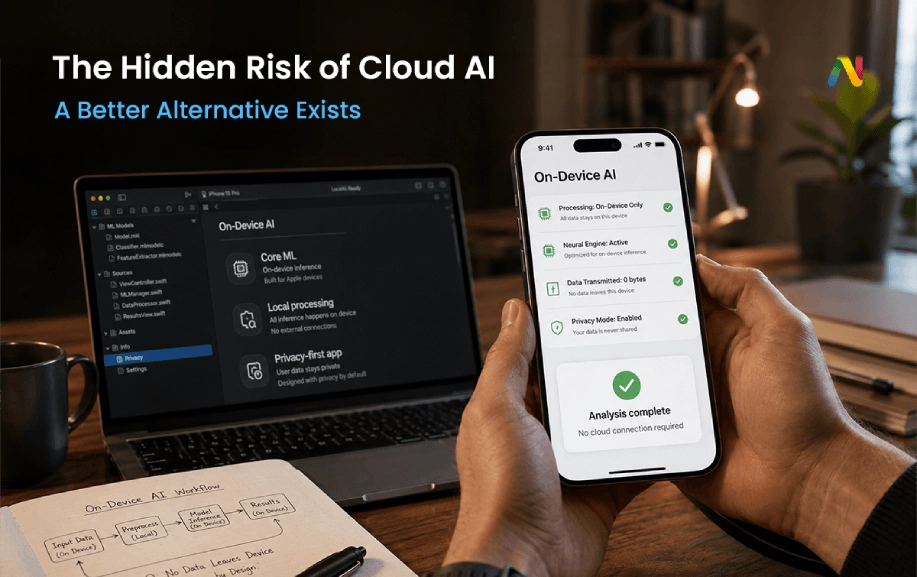
The world of apps is changing fast in 2026. For a long time, if you wanted to use a smart app, your phone had to talk to a big computer far away. This is called "the cloud." But today, people are worried about their data. They want things to stay private. They also want things to happen instantly. That is why Privacy-first app architecture is the biggest trend this year. As a top AI app development company, we help brands build apps that "think" right on your phone. This means no data leaves your hand, and everything works at lightning speed.
Introduction – Why the Future of AI is Local?
Have you ever noticed a tiny delay when you ask an AI a question? That is because your words have to travel across the ocean to a server and back. In 2026, we don't have time for that. We want Zero-latency AI processing. This means the app reacts the moment you touch it.
People also care about their secrets. From health data to private messages, nobody wants their info sitting on a stranger's computer. This is why many businesses are looking for a Custom mobile app development team that can build "Local AI." By moving the app's brain to the phone, we solve the two biggest problems: speed and safety.
What is Edge AI Computing?
To understand how this works, we need to talk about Edge AI computing. In the past, the "edge" was just a word for your phone or your smartwatch. Today, the edge is where the magic happens. Instead of sending data to a central hub, the device itself handles the work.
When you hire AI app developers, they focus on making the app smart enough to run on the phone's chip. This is much better than the old way. If you are in a basement with no Wi-Fi or on a plane high in the sky, an Edge AI app still works perfectly. It doesn't need the internet to be smart.
The Rise of On-Device Machine Learning (ODML)
The tech that makes this possible is called On-device machine learning (ODML). Machine learning is how computers learn patterns. Usually, this takes a lot of power. But new phones in 2026 have special "Neural Engines" built inside them.
A Website development company that also builds apps can use these engines to run smart models. Whether it's recognising your face to unlock an app or sorting your photos by who is in them, ODML does it all locally. It makes the device feel like it has its own brain.
Local LLMs: Small but Mighty
You have probably heard of giant AI like ChatGPT. Those are "Large" models. But for a phone, we use Local LLMs (Small Language Models / SLMs). These are like mini-versions of the big guys.
Even though they are small, they are very smart. An SLM can help you write an email, summarise a long document, or act as a personal assistant. Because they are Local LLMs (Small Language Models / SLMs), they don't cost the company money every time you ask a question. This makes the app cheaper for everyone and much faster to use.
Tools of the Trade: CoreML and TensorFlow Lite
To build these apps, you need the right tools. If you want to make an iPhone app, you use CoreML (Apple). If you are building for a Samsung or a Pixel, you use TensorFlow Lite (Android).
CoreML (Apple) and TensorFlow Lite (Android) Explained
- CoreML (Apple): This tool is built specifically for Apple's hardware. It makes sure the AI uses as little battery as possible while staying super fast.
- TensorFlow Lite (Android): This flexible tool runs on billions of devices. It helps developers "shrink" big AI models so they fit on a mobile device without losing their "smarts."
When you hire dedicated developers, they will choose between CoreML (Apple) and TensorFlow Lite (Android) based on who your customers are. Often, they use both to make sure everyone has a great experience.
Building GDPR Compliant AI Apps
Privacy isn't just a good idea; it's the law. In many parts of the world, there are strict rules, like GDPR, that govern how you can handle data. Building GDPR compliant AI apps is much easier when the data never leaves the phone.
If the data stays on the device, you don't have to worry about hackers stealing it from a database. You don't need permission to send it to another country. This Privacy-first app architecture makes your business safer and helps your customers trust you more.
Why Do You Need a Specialised AI App Development Company?
Building a standard app is easy. Building an AI app that runs locally is hard. It requires a lot of math and a deep understanding of how phone chips work. This is why you shouldn't just hire any Website development company. You need a team that knows AI.
An AI app development company knows how to scale a giant AI model down to fit on a phone. They know how to balance "smartness" with battery life. If an app makes your phone hot or drains the battery in an hour, nobody will use it. Professional AI app developers prevent these problems.
Designing for Privacy: The Role of a Website Design Agency
Even if the code is great, the app needs to look good and be easy to use. This is precisely where a professional website design agency plays a big role. In a privacy-first app, the design should reassure users that their data is safe.
There may be a small green light that shows when the AI is working locally. Or maybe the app explains in simple words that "Your data stays here." Good design builds trust. When you combine Custom mobile app development with great design, you get an app that people love to use every day.
The Steps to Build Your Own Privacy-First App
- Pick Your Task: What do you want the AI to do? (Translation? Image editing? Chat?)
- Choose a Model: Find a Small Language Model (SLM) that fits the task.
- Hire Dedicated Developers: Find experts who know how to code for the "Edge."
- Optimise for Mobile: Use CoreML (Apple) and TensorFlow Lite (Android) to make the model fast.
- Test for Privacy: Ensure no data leaks to the cloud by accident.
Conclusion: The New Standard for 2026
The "Cloud-First" way of doing things is fading away. Today, speed and privacy are what matter most. By using Edge AI computing and Local LLMs (Small Language Models / SLMs), you can give your users an amazing experience that works anywhere and keeps their secrets safe.
Don't wait for a data breach to happen. Start building with a Privacy-first app architecture today. Whether you need a team for Custom mobile app development or a Website design agency to map out your user journey, the future is local.
Ready to build the next generation of smart, private apps?
At Netclues, we are a leading AI app development company ready to help you win. Whether you want to hire AI app developers or need a full Website development company to grow your brand, we have the skills. Our team specialises in On-device machine learning (ODML) to give your users Zero-latency AI processing they can trust. Stop sending your data to the cloud. Start building for the future. Visit Netclues today to talk to our experts and get started!
FAQs: On-Device AI: How Privacy-First Apps Work Without Cloud
Q.1. What is on-device AI and how does it work?
On-device AI is artificial intelligence that runs directly on smartphones, computers, or edge devices instead of sending data to cloud servers. The device uses optimized AI models and hardware such as neural processing units (NPUs) to analyze information locally. This allows applications to deliver faster responses, improved privacy, and AI features that can work even without an internet connection.
Q.2. Why is on-device AI better for privacy-first applications?
On-device AI improves privacy because user data can be processed locally without being transferred to external cloud servers. This reduces exposure risks for sensitive information such as personal messages, health records, images, and voice data. Privacy-first applications use local processing to give users more control over their information while maintaining intelligent AI-powered experiences.
Q.3. Can AI work without cloud computing?
Yes, AI can work without cloud computing when models are optimized to run directly on devices. Modern smartphones and computers have powerful processors designed for local AI tasks. Applications can perform activities such as image recognition, voice processing, translation, recommendations, and text generation without continuously connecting to online servers.
Q.4. What are the benefits of using on-device AI apps?
On-device AI apps provide several benefits, including faster response times, enhanced privacy, offline functionality, lower cloud infrastructure costs, and improved reliability. Since processing happens locally, users experience reduced latency and better performance. Businesses also gain more control over data handling while creating secure AI-powered products that meet modern privacy expectations.
Q.5. What is the difference between on-device AI and cloud AI?
The main difference between on-device AI and cloud AI is where the data processing happens. On-device AI processes information directly on the user's device, while cloud AI sends data to remote servers. Cloud AI can support larger models, but on-device AI provides faster responses, better privacy, and reduced dependence on internet connectivity.
Q.6. How do local LLMs work on smartphones and computers?
Local LLMs are smaller versions of large language models designed to run directly on personal devices. They use techniques such as model compression, quantization, and optimization to reduce computing requirements. Local LLMs can power private AI assistants, document summaries, writing tools, and conversational applications while keeping user interactions stored locally.
Q.7. Which technologies are used to build on-device AI applications?
Developers use technologies such as CoreML for Apple devices and TensorFlow Lite for Android applications to build on-device AI solutions. Other technologies include neural processing units (NPUs), edge computing frameworks, machine learning optimization tools, and lightweight AI models. These technologies help applications deliver powerful AI features while reducing battery and performance impact.
Q.8. How much does it cost to build an on-device AI app?
The cost of building an on-device AI app depends on factors such as app complexity, AI model requirements, supported platforms, features, and customization needs. Simple AI features may require fewer resources, while advanced applications involving local LLMs, computer vision, or voice processing require more development effort. Proper planning helps balance performance, privacy, and budget.
Q.9. What are common mistakes when developing privacy-first AI apps?
Common mistakes include choosing oversized AI models, ignoring device limitations, poor battery optimization, unclear privacy controls, and failing to test AI performance on real devices. Developers should select suitable models, optimize processing requirements, protect user data, and create transparent privacy experiences to build reliable on-device AI applications.
Q.10. Is on-device AI the future of mobile app development?
Yes, on-device AI is expected to become a major trend in mobile app development because users increasingly demand faster, smarter, and more private digital experiences. As device hardware improves and AI models become smaller, more applications will combine local intelligence with cloud capabilities to deliver secure and personalized experiences.
Q.11. When should businesses choose on-device AI instead of cloud AI?
Businesses should choose on-device AI when privacy, speed, offline access, and real-time processing are important requirements. Applications involving personal data, healthcare information, financial services, smart devices, or mobile productivity tools often benefit from local AI processing. A hybrid approach combining cloud and on-device AI can also provide flexibility for complex applications