



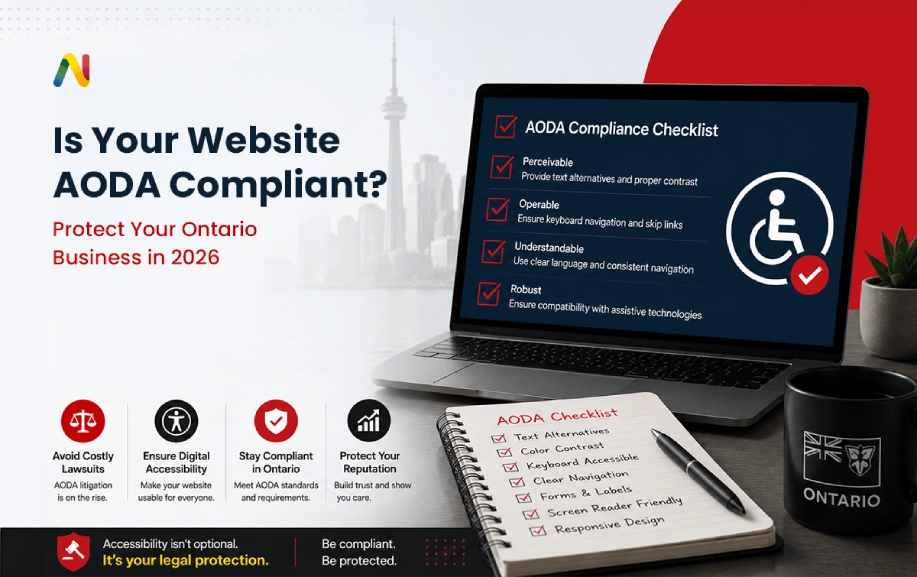
Operating a mid-to-large-scale business in Ontario involves managing many moving parts, from local supply chains to shifting customer demands. However, one of the most critical operational areas that corporate leaders ignore until it is too late is the accessibility of their digital storefronts. Over the past few years, web infrastructure has quietly shifted from being a simple internal IT project into a massive, board-level legal liability. If your website cannot be smoothly navigated by everyone, your organization faces major compliance penalties and the immediate threat of private litigation.
It is seen that many of the business owners to assume digital accessibility happens automatically when purchasing standard web themes or modern components. This assumption might appear harmless, but it is actually a massive business risk. True compliance indeed requires deliberate frontend engineering, continuous monitoring, and structured maintenance. By using a robust framework, Ontario enterprises would be able to systematically remove any barriers, improve user experience, and also eliminate legal risks before they hurt the bottom line.
What is AODA website compliance?
AODA website compliance is the non-negotiable legal requirement for Ontario organizations to ensure that their websites and digital content remain completely accessible to individuals with disabilities. In simple terms, it means designing interfaces that work flawlessly with assistive technologies, while allowing every user to perceive, navigate, and interact with your web pages seamlessly.
Who all needs to comply with AODA?
All public sector organizations in Ontario, as well as private businesses and non-profit organizations with 50 or more employees, must legally comply. If your workforce crosses this threshold and you serve the Ontario public, your public-facing web properties must adhere strictly to provincial accessibility standards.
What is WCAG 2.1 AA compliance?
WCAG 2.1 Level AA compliance is a set of global technical rules created by the W3C. It consists of 52 specific success criteria designed to make web content easily accessible to individuals with physical, visual, auditory, speech, cognitive, and neurological disabilities, further forming the foundation of Ontario's digital laws.
What happens if a website is not accessible?
An inaccessible website locks out up to twenty percent of your potential market, causing immediate revenue loss. Professionally, it triggers severe administrative fines from the Ontario government and leaves your enterprise highly vulnerable to public human rights complaints, costly private lawsuits, and permanent brand damage.
How do businesses test website accessibility?
Businesses perform accessibility testing by pairing automated scanning tools with rigorous manual testing workflows. While software can quickly identify programmatic code errors, the human experts must manually navigate the site using screen readers, keyboard-only controls, and contrast tools to verify and deliver a barrier-free user experience.
How often should an accessibility audit be performed?
The recommended frequency at which an accessibility audit should be performed is at least once a year. For dynamic enterprise platforms that push out weekly updates, change product lines, or launch new marketing campaigns, the quarterly automated scans paired with bi-annual manual reviews are vital to prevent code drift and compliance failure.
What are the most common AODA compliance violations?
The most frequently reported violations include the low colour contrast between text and backgrounds, missing alternative text on critical images, and also the form inputs without clear labels. Keyboard traps that freeze the navigation and empty links that only confuse screen-reading software also trigger severe legal complaints.
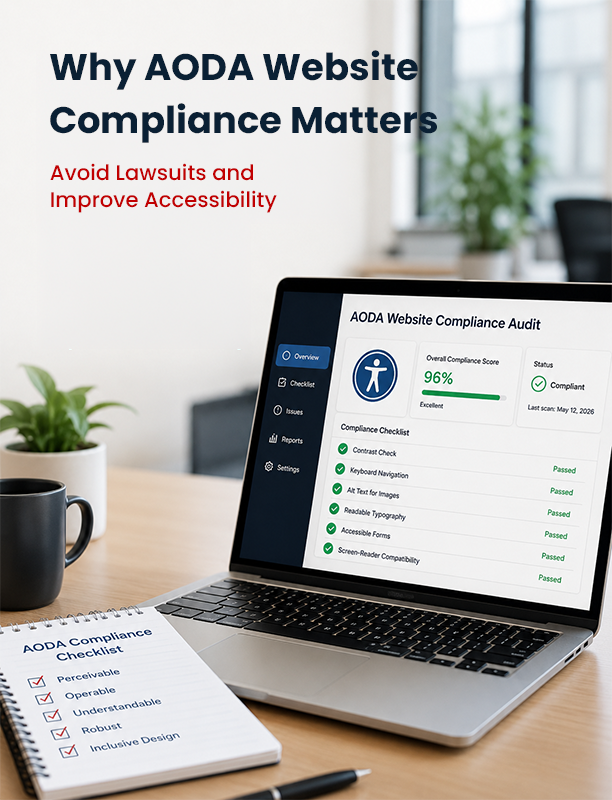
Why AODA Website Compliance Matters in 2026?
The legal framework that is primarily responsible for governing digital properties in Ontario has now entered an aggressive enforcement phase. Under the Accessibility for Ontarians with Disabilities Act, businesses are indeed expected to make their digital platforms accessible to everyone. In recent years, enforcement has become more active, with random audits and increased scrutiny from consumer advocacy groups.
Many of the operational stakeholders ask one important fundamental question: Does my business website need to comply with AODA? The answer to this largely depends on your staff size, but the commercial reality is that any business serving the Ontario public should actually comply to safeguard its market share. When a site features broken navigation or unreadable content, it literally locks out nearly twenty percent of the population. This exclusion causes immediate conversion loss, driving ideal prospects straight into the arms of accessible local competitors.
Furthermore, digital systems that are built on clean, compliant code naturally perform better across the board. Also, these show faster load times, exhibit lower bounce rates, and offer far superior usability for the regular consumers. If you treat compliance as a boring legal chore rather than an asset, you miss major operational benefits. Investing early in professional Website Accessibility Services eliminates technical debt and builds long-term digital stability.
Several business owners enquire about a big question: whether an inaccessible website can actually lead to any kind of legal trouble. The answer is yes. If people with disabilities cannot use important features like checkout or registration forms, businesses may face complaints or discrimination claims.
Understanding AODA and WCAG Requirements
To build a compliant system, it is extremely important to understand the interplay between provincial legislation and the global technical standards. What is the difference between AODA and WCAG? AODA is the actual law that was originally passed by the Ontario government, while the Web Content Accessibility Guidelines are the specific global technical rules that the law references to measure compliance.
The widely accepted and the latest legal target for Ontario enterprises is WCAG 2.1 Level AA. The particular technical framework outlines specific criteria across four core design concepts: the final content has to be perceivable, operable, understandable, and robust. If an interface fails on any of these fronts, it fails the legal standard entirely. For example, some organizations ask, What is required for AODA website compliance? It means ensuring your text contrast is sharp, your site can be run completely via a keyboard, and screen-reading software can interpret your design without errors.
Implementing the deep technical requirements is not possible without specialized expertise during the development phase. Also, it relies heavily on advanced UX/UI Design Services that plan out visual hierarchies, user journeys, and keyboard focus indicators from the very beginning. When accessibility is baked into the initial layout, it avoids the massive financial headaches of rewriting code later on.
The Complete AODA Web Compliance Checklist
Achieving full compliance is a special victory that requires analyzing the holistic digital presence. The systematic AODA Web Compliance Checklist renders the exact operational benchmarks your development team must meet to avoid any level of penalties and also to protect your business from legal exposure.
Text Alternatives and Non-Text Content
Every non-text element on your website must have a text alternative that serves nearly the exact same purpose.
- Image Alt Text: Always come up with descriptive alt tags for all informational images. Decorative items must always use empty alt attributes (alt="") so screen readers skip them naturally.
- Multimedia Captions: All pre-recorded video content must include synchronized captions for deaf or hard-of-hearing users.
- Audio Transcripts: Provide full text transcripts for podcasts and purely audio files.
Interface Navigation and Adaptability
Users must be able to navigate your system irrespective of the device or input method that they choose.
- Keyboard Navigation: It is important to ensure that each link, button, form field, and menu item can be fully accessed using only the Tab and Enter keys.
- Visible Focus Indicators: One must always maintain a highly visible outline around elements when highlighted via keyboard navigation. Never hide the focus ring through CSS.
- Logical Reading Order: Structure your HTML document so screen readers read content in a predictable, linear path.
Visual Design and Readability Standards
Clear visual guidelines help in preventing any level of cognitive fatigue and help users with low vision process information smoothly.
- Colour Contrast: Text and images of text need to have a contrast ratio of atleast 4.5:1 against their background. For larger text, a 3:1 ratio is acceptable.
- No Colour Reliance: Never use colour as the only way to convey critical information. For instance, an error message must feature an icon or descriptive text, not just a red border.
- Text Resizing: Ensure users can zoom text up to 200 percent without breaking the page layout or causing text overlaps.
Predictability and Input Assistance
Forms and interactive elements must behave logically to reduce input errors and user friction.
- Form Labels: Every form input should definitely have an explicit and clear label. It is also recommended to refrain from using placeholder text as an alternative to permanent labels.
- Error Prevention and Correction: If a user makes a mistake, the system must clearly pinpoint the error in text and offer a helpful suggestion to fix it.
- Consistent Navigation: Keep your main menus, search bars, and footers in the exact same location across every subpage.
Common Website Accessibility Issues That Tend To Trigger Legal Risks
Most digital lawsuits in Ontario don't stem only from complex engineering failures. Instead, these get triggered by the basic, easily avoidable design oversights. When an enterprise launches any platform without conducting a structured review, then the minor issues quickly compound into a significant liability.
What are the penalties given for complete non-compliance with AODA?
Corporations found guilty of violating the Act can face severe administrative fines of up to $100,000 per day of non-compliance. Beyond the government fines, how do accessibility lawsuits impact businesses? They drain your corporate resources, damage your local reputation, and lead to court mandates that force costly, rushed platform overhauls under strict deadlines.
A frequent point of failure often takes place within interactive components such as the pop-up modals, cookie consent banners, and drop-down menus. If any screen reader user encounters a promotional pop-up that is somehow lacking a well-coded close button, they become locked in a keyboard trap. Unable to exit the modal, the user is forced to abandon the site entirely. This major design flaw can quickly trigger formal complaints and costly legal inquiries.
How to Conduct an Accessibility Audit?
Protecting your enterprise from litigation requires an honest baseline evaluation of your current platform. You cannot fix problems you do not know exist. Learning: How can I make my website accessible in Ontario? Always begins with a comprehensive, professional compliance review.
A reliable compliance review should definitely be a combination of automated scanning and human testing. The automated scanners work excellently for catching bulk errors, such as missing image alt text or incorrect background contrast ratios. However, an automated tool cannot tell you if your navigation flow actually makes logical sense to a human being.
Manual testing is considered a pivotal step where real value lies. Certified specialists use assistive technologies like NVDA, JAWS, or VoiceOver to navigate your site precisely, resembling how an end-user would. They would commit to testing every form, button, and checkout flow so as to ensure there are no dead ends. Corporate decision-makers often wonder about the costs involved here: How much does an accessibility audit cost? The financial investment depends on the scale and complexity of your application, but it remains a tiny fraction of the cost of resolving a public lawsuit. Once this assessment finishes, your team receives a detailed remediation report that serves as a guide to permanently remove your legal exposure.
AODA Compliance Best Practices for Ontario Businesses
Maintaining a highly accessible website is considered an ongoing operational commitment, and not a one-time development fix. Digital platforms are constantly shifting as internal teams upload new blogs, launch promotional campaigns, and add product lines. Without continuous governance, an accessible site can drift out of compliance within a matter of weeks.
To prevent this drift, businesses must embed accessibility guidelines directly into their standard operating workflows. When your internal marketing and design teams understand the basics of document structure and colour contrast, they stop introducing new errors into the system. It is far more efficient to write compliant code from the start than to constantly pay for emergency fixes. Should leadership teams actively look for the best AODA compliance services? To train their staff and set up a reliable pipeline.
Making close associations with a skilled, reliable, and an experienced agency rendering dedicated Website Maintenance Services will ensure that your digital assets are continuously scanned, patched, and kept compliant with changing standards. This proactive approach lets you catch issues early, before they affect your users or capture the attention of legal teams.
How is Netclues Helping Businesses Achieve AODA Compliance?
Achieving full compliance is not possible without having a deep understanding of assistive technology, frontend development, and Ontario's strict legal landscape. Many internal IT departments lack the specialized training needed to audit, rewrite, and verify complex web systems for accessibility. This is where strategic support makes a massive difference.
When you find yourself seeking answers to the big question of Who can help with AODA compliance in Ontario?, always prefer an established agency with a proven track record. Netclues provides comprehensive, high-tier AODA Website Compliance auditing and remediation services for businesses across the province. We approach accessibility from both an engineering and a commercial perspective, ensuring your platform stays legally safe without sacrificing visual appeal or brand identity.
The skilled and professional team perfectly handles the entire lifecycle that follows in the accessibility journey. The starting point is done with a rigorous baseline audit meant to expose any hidden vulnerabilities. From there, the top-end developers handle technical code remediation and update your templates, form structures, and navigation paths. We also provide modern Website Development Services to build completely custom, compliant web ecosystems from the ground up, guaranteeing your business stays fully aligned with AODA Compliance Ontario regulations.
Frequently Asked Questions About AODA Website Compliance
Q.1. What does a business need to do to achieve full AODA website compliance?
To achieve full AODA Website Compliance, an Ontario business must ensure its web content, documents, and applications meet the WCAG 2.1 Level AA technical standards. The system also includes adding alternative text to images, which ultimately ensures full keyboard navigation, maintains colour contrast, and provides captions for multimedia assets.
Q.2. Are small businesses in Ontario exempt from AODA compliance?
Private businesses with fewer than 50 employees are currently exempt from filing formal accessibility compliance reports with the government. However, under the Ontario Human Rights Code, all businesses have a legal duty to accommodate people with disabilities and can still face complaints if their digital services are discriminatory.
Q.3. Can an automated overlay widget solve all accessibility issues?
No, accessibility overlay widgets do not provide true compliance. In fact, they often interfere with screen readers and make the user experience worse, increasing your legal risks. True AODA compliance in Ontario requires modifying the source code of your website.
Q.4. What is the financial risk of ignoring website accessibility?
Ignoring Website Accessibility Compliance can result in severe enforcement fines from the province, reaching up to $100,000 per day for major corporations. Additionally, it leaves your brand completely open to civil lawsuits, legal fees, and significant loss of revenue from a locked-out customer base.
Q.5. How does web accessibility benefit search engine optimization?
Web accessibility and SEO actually walk hand-in-hand. Search engine crawlers tend to navigate websites just as screen readers do. Furthermore, by using semantic headings, clear alt text, and logical navigation paths, you can naturally make your site easier to index by Google and also boost your organic visibility.
Long-Term Risk Management and Technical Strategy
As business organizations look toward a bright future, managing the digital infrastructure becomes more important. It requires shifting away from quick, temporary fixes and viewing accessibility as a permanent standard. This specific approach helps corporate leaders in discovering how businesses prepare for accessibility regulations in a way that protects both their budget and their brand.
A core part of this preparation involves understanding the broader business impact of an accessible web application. When your systems are built properly, you naturally lower maintenance overhead and clear out friction points that cause standard users to abandon their shopping carts. It is a win-win scenario where legal protection directly drives commercial efficiency.
Gaining clarity on how organizations can reduce accessibility risk is the key. Furthermore, by combining a reliable compliance checklist with professional developer support, it is possible to shield your enterprise from lawsuits, help to improve your organic search presence, and also impart a welcoming experience for every single customer in Ontario.
Still struggling with broken elements or worried that your current platform might expose you to regulatory fines and legal risks? Our experienced team can evaluate your current digital setup, pinpoint critical operational bottlenecks, and recommend a practical, secure path forward to keep your brand fully compliant. Connect with our compliance engineering team at Netclues today to schedule your comprehensive web accessibility review.
Key Takeaways
- AODA is Ontario legislation; WCAG is the technical accessibility framework referenced by Ontario's web-accessibility requirements.
- Ontario's current statutory website requirement is based on WCAG 2.0 Level AA, with specified exceptions—not WCAG 2.1 AA.
- Businesses and non-profits with 50 or more employees are among the organizations subject to the public-website requirement.
- Automated scanners are useful but cannot replace manual accessibility testing.
- Keyboard navigation, focus visibility, alternative text, accessible forms, headings, contrast, and consistent navigation deserve particular attention.
- Accessibility should be treated as an ongoing development and governance process rather than a one-time audit.
- AODA penalties can be significant, but the maximum statutory fine should not be presented as an automatic penalty for every accessibility issue.
Is your Ontario website accessible and aligned with applicable AODA requirements?
Netclues can assess your website, identify accessibility barriers, prioritize remediation, and help establish an ongoing accessibility workflow.
Schedule a Website Accessibility Review to understand where your website currently stands and what should be addressed next.